Posts

Cross Tenant Personal OneDrive Data Migration
Image
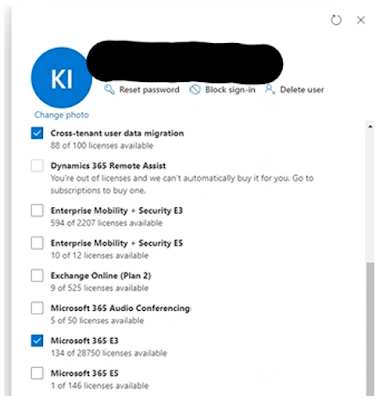
  Personal Data migration OneDrive In the previous chapters, it is stated: Teams make use of several M365 service. Especially for the personal side of Teams, Exchange and OneDrive are heavily involved. Towards Teams migration, it is required, that ALL data is present in the target environment for Exchange Calendar and OneDrive (shared files). Data Pre-Load Data pre-load is much slow than you expected. This is the most important lesson learned. While Exchange is faster than OneDrive, be aware of the time required for the data copying process. Another important statement is: none of the existing solutions are SYNC solutions, data is only copied. Therefore, a co-existence and working parallel in both, source and target tenant can lead to data inconsistence. If data is changed in the target environment and in source, any delta sync will overwrite the target data, if source has a new change date. Same, if the target data is newer, changed source data will not be copied. ...
Teams Channel Cross Tenant Migration

Image
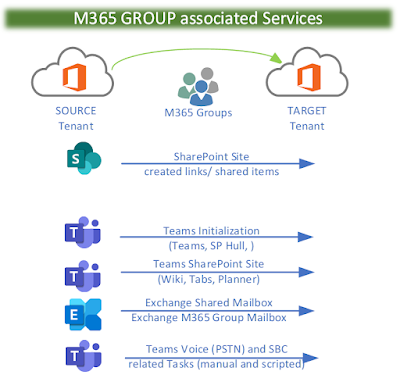
  Teams Channel Migration Starting with the generics of Teams Team/ Channel migrations. There can be not Team without a corresponding M365 group. This implies, that other services are available and Teams is heavily depending on those. Mainly it is SPO/ OneDrive. It is used for files in Teams. Not talking about the M365 Group provisioning here in detail, but the important sequence you must follow is: 1.        Create a user mapping file and provision target users 2.        Provision M365 groups in target tenant all member user must exist Note for M365 Groups: There is no tool available yet, which could keep M365 Groups in persistent sync. Therefore, delta sync’s are required. Other services used by or from within Teams are e.g. Tabs, Wiki & Planner. Shared Mailbox are not part of the Teams integration, but other apps made available in Teams might. Secondly, Teams has shared channels and private channels. B...

Cross Tenant Migration Options for Teams Chat Messages Destination

Image
  Migration Options for Teams Chat Messages Destination We take away, that is nearly impossible provisioning Teams personal chat messages on time and along with other personal data migration during the cut-over day. Therefore left is, how or where we can stage the personal chat messages. Generally, the migration consist of two phases, reading and writing the message. Those both processes are individual.   Writing chat messages into the target tenant with all listed possibilities: Write the private chat messages to a folder in Outlook in the target tenant. By doing so, there are limitation for users. Outlook folders will display the messages in the Teams client, nor are those messages searchable or readable from the Teams client. Migrate all the private chat messages from source to the target appear inf in Teams. It is so fare the best user experience option, with the limitation, that the migration account is the ...

Teams Cross Tenant Migration for Personal Chat

Image
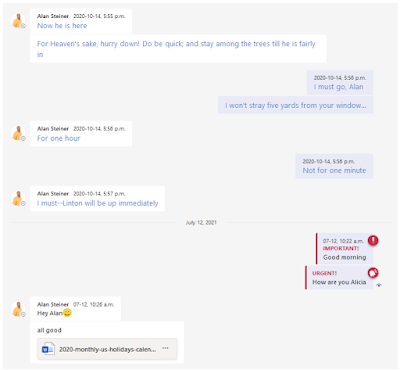
  Teams Personal Chat Migration   The largest challenge I have been facing is migrating 1:1 chats from one Teams tenant to another . 1:1 Chat Migration is extremely slow. Guess you have experienced this while using Teams App. If you scroll within a chat and reached the non-cached messages, they are pulling very slow. This is what you will experience upon execution of Chat messages. Additionally complex is the availability of shared files. If OneDrive isn’t fully sync’ed, placing the sharing information is impossible. This indicates the sequence for user service migration. Let’s list the three major challenges in personal chat migrations:   1.       Counting the Private Messages Teams has no out-of-the-box possibility counting the personal/ group chat messages. You could write a script using the GraphAPI:   getTeamsUserActivityCounts method A limitation exists here, it can only return the number of messages in a specified perio...