Focused Mailbox not shown - solution
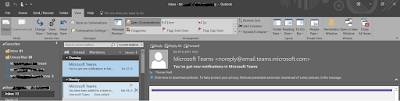
You might have experienced two issues related with not having the FOCUSED MAILBOX shown on your Outlook client. - Either its not shown on all client - or its shown one one client but on another not First you need to have activated Outlook with an account related to a dedicated Office 365 tenant where focused mailbox is enabled on a Organization Level. Even if one client shows up focused mailbox and another not, simply changing the accounts to the same subscription account will not activate the focused mailbox. It all comes back to the same solution: To check whether your focused inbox is turned on, please run powershell commands referring to the steps below and send us a screenshot. Please be informed that you need to involve your admin to perform this. 1. Connect to Exchange Online PowerShell . 2. Run the following commands: Get-FocusedInbox –Identity “user@domain.com email address” Get-OrganizationConfig | fl *focus* You must activate it on you...